Account Ownership Fields
Last updated: October 26, 2026
Choose which Salesforce fields decide who "owns" an account in Centralize, so SDRs, CSMs, and account managers see the accounts they work — not just the ones they're the Account Owner on.
Contents
Why set ownership fields?
Choose your ownership fields
What changes for your reps
Limitations
Need help?
Why set ownership fields?
Many teams track more than one owner per account in Salesforce — for example an SDR Owner, a CSM, or an Account Manager field. Ownership fields tell Centralize which of those fields count. When a rep is listed in one of them, Centralize treats that account as theirs.
By default, every Salesforce user field on the account counts as ownership, except Created By and Last Modified By. Choosing specific fields narrows that down to only the fields you pick.
Use it when:
Reps see accounts in Owned by me that they don't actually work
Your team uses separate Salesforce fields for SDR, CSM, or AM ownership
You want My Accounts to match how your team divides its book of business
Choose your ownership fields
Click Settings at the bottom of the left sidebar, then open the Salesforce settings.
In the Accounts section, find Account ownership fields. It shows Default when no fields are selected.
Open the picker and use Search Salesforce user fields... to find the fields you want.
Tick each field that should count as ownership. You can choose up to 25.
Click Save. Click Cancel to discard your changes.
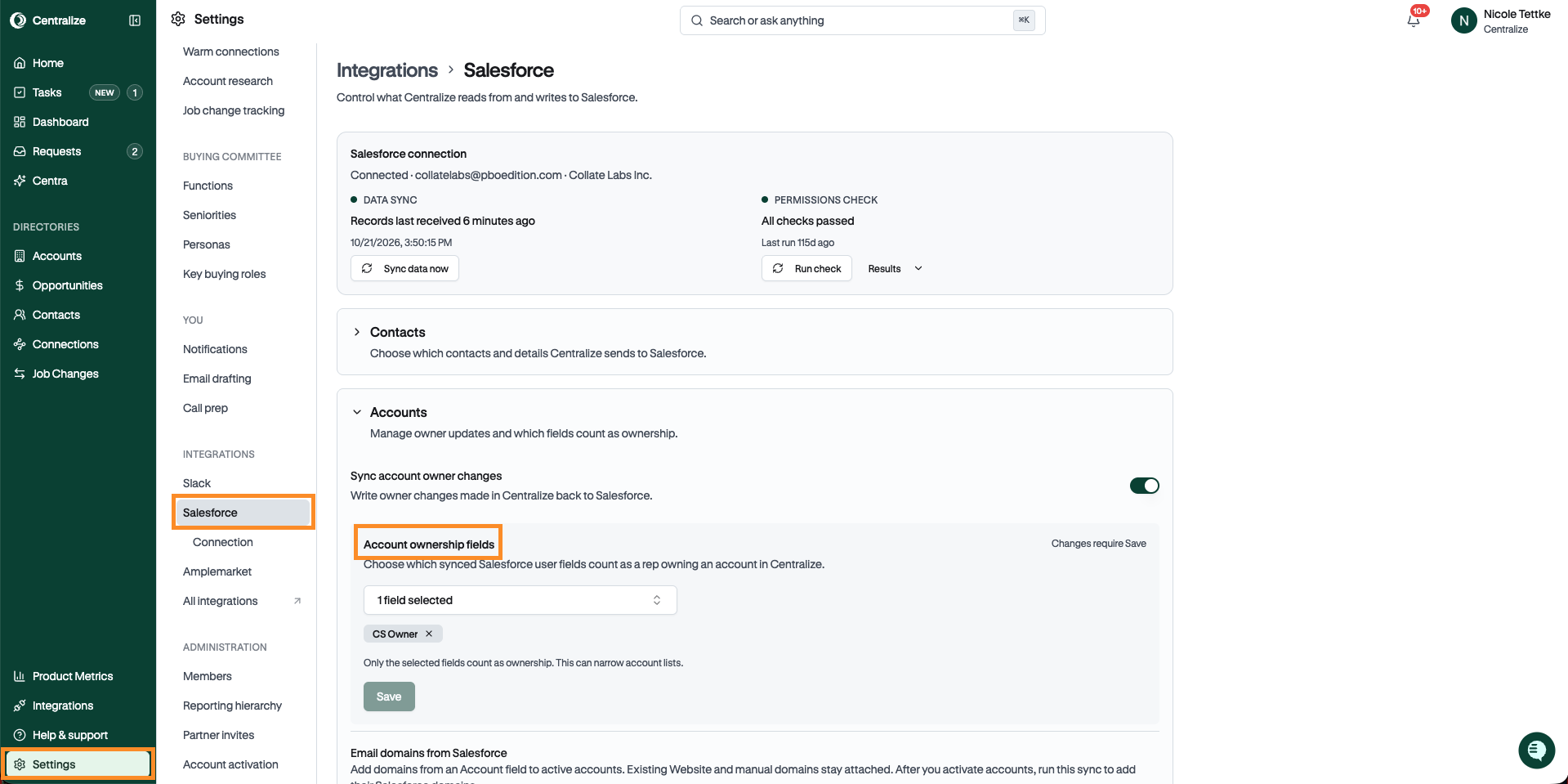
Note: Once you choose fields, only those fields count as ownership. This can shrink your reps' account lists, so check that you've included every owner field your team relies on.
What changes for your reps
When a rep is listed in one of your ownership fields, the account counts as theirs in:
My Accounts on the Home page
The Owned by me view on the Accounts page
The owner filter on the Job Changes page
Recommended actions
The Owned by team view, for managers with direct reports
Limitations
Only admins and owners can see and change ownership fields.
Ownership fields are available for Salesforce only. HubSpot workspaces don't have this setting.
You can choose up to 25 fields.
Need help?
If something looks off or you have questions about ownership fields, reach out to us at support@usecentralize.com.
Related articles